

Best Monitors Under 10000 in India: 4 Picks for Work and Gaming
Working from home on a laptop screen? Then a second monitor is the cheapest upgrade you can make to your desk. And the good news is that ₹10,000 now gets you a proper 24 inch IPS Full HD screen with a faster refresh rate than most laptops have.
I haven't used these four monitors myself. I picked them from what is in stock on Amazon today, sold by Clicktech Retail and shipped by Amazon, by comparing the panel, refresh rate, ports, warranty and what comes in the box. All four come with a 3 year manufacturer warranty, which is what you should expect at this price.
Which Monitors Under ₹10,000 Are Worth Buying?
1. Acer EK240Y P6: Best for most people
Price: ₹6,957 (as of 6 Oct 2026)
Specs: 23.8 inch IPS, Full HD, 144Hz, 1ms (VRB), AMD FreeSync, 250 nits, HDMI and VGA, HDMI cable in the box, VESA mount support
The cheapest monitor here is also the fastest. 144Hz makes scrolling, moving windows and casual games feel much smoother than a normal 60Hz screen, and FreeSync stops the screen tearing in games if your laptop or PC supports it.
The HDMI cable comes in the box, so you can plug it into your laptop the day it arrives. Small thing, but many budget monitors make you buy one separately.
So what's the catch? Just one HDMI port. If you want to keep a laptop and a gaming console connected at the same time, you will be pulling cables out every day.
Skip it if: you need two HDMI inputs or DisplayPort. Look at the BenQ below.
Check price on Amazon2. BenQ GW2490: Best for long work hours
Price: ₹8,498 (as of 6 Oct 2026)
Specs: 24 inch IPS, Full HD, 100Hz, 99% sRGB, 250 nits, 2 HDMI and 1 DisplayPort, built-in speakers, flicker-free with low blue light mode, VESA wall mountable
This is the one I'd put on an office desk. It has the most ports of the four (2 HDMI plus DisplayPort), so a work laptop and a home PC can both stay plugged in. The built-in speakers are fine for video calls, though don't expect music quality from them.
BenQ is known for its eye-care features, and this one is flicker-free with a low blue light mode. If you stare at spreadsheets for 8 to 9 hours a day, that matters more than a high refresh rate.
Skip it if: you mainly play games. At 100Hz it is slower than the Acer, and it costs about ₹1,500 more.
Check price on Amazon3. LG 24U411A: Best colours for the money
Price: ₹7,499 (as of 6 Oct 2026)
Specs: 24 inch IPS, Full HD, 120Hz, 1ms (MBR), 99% sRGB (typical), HDR10, FreeSync, 250 nits, HDMI and VGA, HDMI cable in the box
LG lists 99% sRGB coverage, which means colours look closer to what they should be. If you edit photos for Instagram, design thumbnails or just like a richer picture for movies, this is the pick.
120Hz is a good middle ground too. Not quite the Acer's 144Hz, but you will hardly notice the difference outside games.
Well, one honest note on the "HDR10" line in the listing. A 250 nit monitor is not bright enough to show real HDR. It will accept an HDR signal, that's all. Don't pay extra for it.
Skip it if: you need more than one HDMI port. Same problem as the Acer.
Check price on Amazon4. Samsung 24 inch IPS (100Hz): For Samsung fans
Price: ₹7,290 (as of 6 Oct 2026)
Specs: 24 inch flat IPS, Full HD, 100Hz, AMD FreeSync, 250 nits, eye care mode, HDMI and VGA
A clean, simple Samsung monitor that does the basics well. If you already have Samsung gear at home or simply trust the brand more, it is a safe buy.
But I'll be straight with you. For about ₹200 more, the LG above gives you 120Hz, better colours and an HDMI cable in the box. On paper the Samsung loses that comparison.
Skip it if: brand doesn't matter to you. Get the LG or the Acer.
Check price on Amazon🔔 3–5 verified deals daily, all 50%+ genuine discounts
Which One Should You Buy?
| If you... | Buy | Price (as of 6 Oct 2026) |
|---|---|---|
| Want the best value and play some games | Acer EK240Y P6 | ₹6,957 |
| Work on the screen all day and need more ports | BenQ GW2490 | ₹8,498 |
| Edit photos or care about colours | LG 24U411A | ₹7,499 |
| Prefer Samsung over everything else | Samsung 24 inch IPS | ₹7,290 |
What Should You Check Before Buying A Monitor?
Check your laptop's ports first. All four monitors here take HDMI, and most Windows laptops have an HDMI port. A MacBook or a thin laptop with only USB-C will need a USB-C to HDMI adapter or cable (the BenQ also takes DisplayPort). Buy that along with the monitor so you are not stuck on delivery day.
Don't buy a 27 inch monitor at Full HD in this budget. At 27 inches the pixels get big enough that text looks soft. 24 inch is the sweet spot for 1080p.
Ignore "1ms" as a big selling point. Every brand measures it a different way (VRB, MBR, MPRT) and the numbers can't be compared across brands.
Check the stand. Budget monitors usually only tilt, they don't go up and down. If the screen sits too low, a monitor arm or even a couple of thick books under it fixes the problem. Planning to use a monitor arm? The Acer and BenQ listings both mention VESA mount support.
Open the box on camera when it arrives and switch the monitor on before you throw away the packaging. Look for dead pixels on a plain white screen. A video makes any return much easier.
Frequently Asked Questions
Is 100Hz or 144Hz worth it for office work?
Yes, a little. Scrolling through long documents and web pages feels smoother than on a 60Hz screen. It is not a must for office work, but at this price you get it anyway, so there is no reason to buy a 60Hz monitor in 2026.
Can I connect these monitors to a laptop?
Yes. Plug the HDMI cable into your laptop's HDMI port. The Acer and LG come with an HDMI cable in the box. If your laptop only has USB-C, you will need a USB-C to HDMI adapter.
Which is better for eyes, BenQ or Acer?
Both have eye-care modes. BenQ adds flicker-free backlighting and a low blue light mode, which is why it is our pick for people who work 8 hours or more on the screen.
Should I buy a monitor in the Great Indian Festival sale?
If you need one in the next month, yes. The sale opens for everyone on 8 October 2026 (a day earlier for Prime members) and SBI cards get a 10% instant discount. Prices change quickly during the sale, so check the price on Amazon on the day.
A monitor lasts 5 to 7 years. Buy for the way you actually use your desk, not for the biggest number on the box.
As an Amazon Associate, I earn from qualifying purchases. Prices are as of 6 Oct 2026 and change often, so confirm the price on Amazon before you buy.
Related Deals in Electronics
Ad
aabo Smart Ring for Men Women
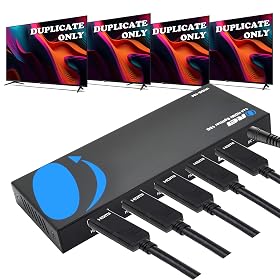
Orei UltraHD 4K @ 60 Hz 1 X 4 HDMI Splitter 1 in 4 Out 4 Port 4: 8-Bit
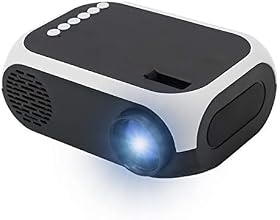
JIFAR Mini Led Portable Smart Home Theatre Projector with LCD Support

SanDisk microSDXC™ UHS-I Card for Nintendo Switch™

SanDisk Extreme PRO 256GB V60 UHS-II SD Cards
As an Amazon Associate, I earn from qualifying purchases. Prices subject to change — confirm on Amazon before buying.
Written by
Prerak SinghFounder, Aish4Aish
Prerak Singh is the founder of Aish4Aish, where he posts the best discount deals across India's biggest online stores and writes buying guides built on real pricing data, verified ratings, and India-specific criteria. He started the site to cut through marketing hype and help shoppers find deals that are actually worth it.
Connect on LinkedIn →